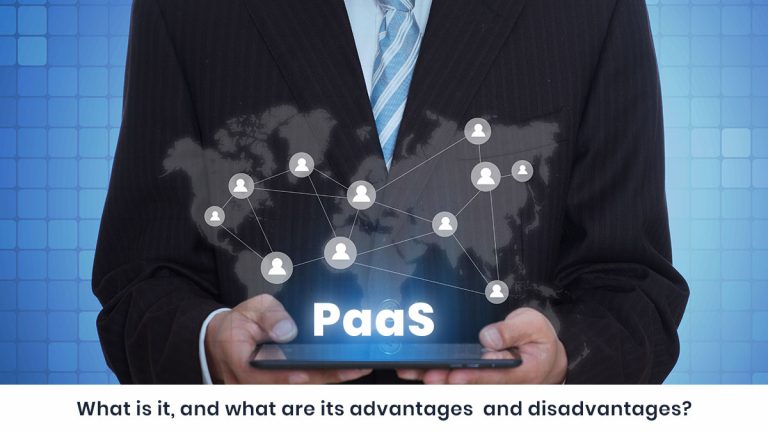
Quick answer: Platform as a Service (PaaS) is a cloud model where a vendor gives you a ready-to-use development platform. You write and upload code, and the vendor manages the servers, operating system, middleware and database. PaaS sits between SaaS and IaaS.
Key takeaways
- PaaS lets developers build and deploy apps without managing infrastructure.
- It comes in public, private and hybrid forms.
- Its main strengths are speed, low upfront cost and easy collaboration.
- Its main risks are vendor lock-in, security concerns and less flexibility.
What is PaaS (Platform as a Service)?
With Software as a Service (SaaS), the provider hands you a complete application hosted in the cloud, including your data. With Infrastructure as a Service (IaaS), you get servers and virtualization, then install the operating system and middleware and build the application yourself.
PaaS sits between the two. The vendor provides the entire development platform, and you only build the application. Write the code, upload it, and the vendor handles the following:
- Servers and virtualization
- Operating system and middleware
- Database management
You also get a suite of development tools, usually a code editor, compiler, debugger and database management system. The exact tools vary by vendor. Some PaaS providers run on infrastructure from an IaaS provider.
PaaS gives you less control than IaaS, but you no longer maintain a platform to run your code on. You only worry about the code. Because the environment is accessible through a browser, teams can work from anywhere. Many providers also offer pay-as-you-go pricing.
What are the types of PaaS: public, private and hybrid?
PaaS is available through public, private or hybrid cloud models.
| Type | Where it runs | Best for | Main trade-off |
|---|---|---|---|
| Public PaaS | Vendor’s infrastructure | Small businesses, fast launches | Security and data concerns |
| Private PaaS | Your own servers or data centre | Sensitive data, internal applications | Your IT team manages it |
| Hybrid PaaS | Mix of public and private | Steady demand with occasional peaks | More complex to set up |
Public PaaS was the original model, starting with Google App Engine. It is usually backed by the same vendor’s IaaS. For example, Microsoft Azure PaaS runs on Azure IaaS. It suits small businesses well, but it raises security and data-privacy questions.
Private PaaS runs entirely on your own servers and is managed by your IT department. Sensitive data stays in your own data centre, which makes it a good fit for internal applications. In effect, you remove the IaaS layer from PaaS. Red Hat OpenShift is a well-known example.
Hybrid PaaS combines public and private servers. You invest in hardware for your typical load, and the public cloud absorbs occasional peaks. This keeps costs down.
What is the difference between PaaS and serverless?
PaaS and serverless architecture both hide servers from the developer, though servers are still involved and the vendor manages them. They differ in four areas.
| Factor | PaaS | Serverless |
|---|---|---|
| Launch time | Takes time to start up | Triggered by events, launches instantly |
| Scaling | You configure it and forecast demand | Scales automatically with demand |
| Control | More control over the environment | Less control, usually fewer testing tools |
| Pricing | Often a flat fee, with capacity set in advance | Pay per use, billed by time or number of requests |
Which should you choose? Serverless works well for event-triggered functions and fluctuating demand. Constant usage can become expensive quickly. For a full development environment with steady usage, choose PaaS.
Who are the top PaaS providers?
The leading PaaS offerings come from the same companies that lead IaaS:
- Microsoft Azure
- Amazon AWS Elastic Beanstalk
- Google App Engine
- IBM Cloud (formerly Bluemix)
- Heroku (Salesforce)
- Oracle Cloud Platform
Almost all of them support common languages such as JavaScript, Java, .NET and Python. Google App Engine, Microsoft’s PaaS and IBM’s PaaS are each integrated with their vendor’s wider cloud platform.
What are the advantages of PaaS?
- Faster time to market. A complete development environment is ready on day one. You skip building and testing the platform and backend, which matters in competitive markets.
- Low investment and lower risk. You don’t spend time and money on servers and backend setup that you would throw away if the idea fails. Scaling up is easy once demand grows.
- Easy collaboration. The platform runs in a browser, so developers anywhere in the world can work together.
What are the disadvantages of PaaS?
- Vendor dependency (lock-in). Moving between vendors is hard. Providers support different languages and operating systems, so migrating often means rebuilding the application almost from scratch. A vendor price change can leave you in a difficult position.
- Security risks. On public PaaS, your data sits on the vendor’s servers, so you need to verify their compliance with security standards. This gets harder when the vendor also relies on a third-party IaaS provider. Private PaaS reduces this risk.
- Less flexibility. The vendor decides everything from servers to middleware. You can pick a vendor whose specifications match your needs, but it is hard to change later.
Is PaaS right for your project?
Choose PaaS when speed, low upfront cost and team collaboration matter more than full infrastructure control. Choose IaaS when you need deep control, and SaaS when you only need a finished application. If compliance is critical, look at private or hybrid PaaS.
Frequently asked questions
What does PaaS stand for?
Platform as a Service, a cloud model that provides a ready-made platform for building, running and managing applications.
What is an example of PaaS?
Google App Engine, Microsoft Azure App Service, AWS Elastic Beanstalk, Heroku and Red Hat OpenShift.
What is the difference between PaaS, IaaS and SaaS?
IaaS provides servers and virtualization. PaaS adds the operating system, middleware and development tools. SaaS delivers a finished application.
Is PaaS the same as serverless?
No. Both hide servers from developers, but serverless scales automatically and bills per request, while PaaS needs advance configuration and usually bills at a flat rate.
What are the main disadvantages of PaaS?
Vendor lock-in, security and compliance concerns on public platforms, and limited flexibility.
Ready to build on the right platform?
Choosing a platform is only the first step. Nuventure helps businesses turn ideas into connected, scalable products with our IoT app development expertise, from architecture and cloud setup through launch. Talk to IoT app development team to get started.