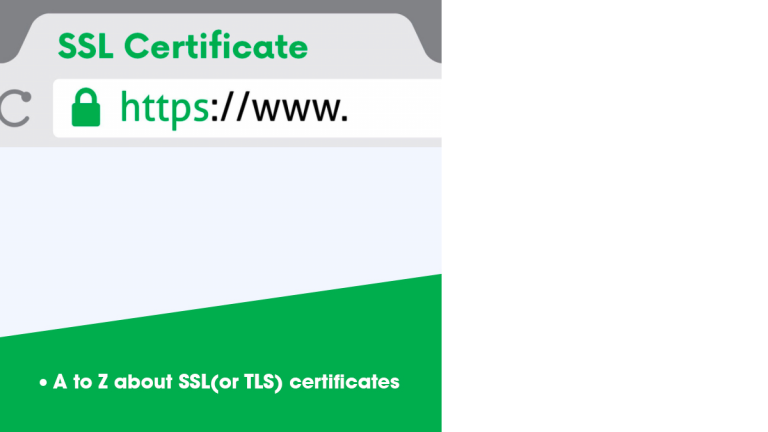
What is an SSL certificate?
You have probably landed on a website with a “Not secure” warning next to the address, and noticed the URL starts with HTTP rather than HTTPS. That warning appears because the site has no valid SSL certificate. Browsers began flagging such sites to warn visitors about the risk, and Chrome has flagged all plain HTTP pages since 2018.
An SSL (Secure Sockets Layer) certificate does two jobs:
- It verifies identity. The certificate is issued by a Certificate Authority (CA), which checks the site before issuing it. That confirms you are on the site you meant to visit. If you want a deeper look at how CAs and certificates fit together, read our guide to digital certificates and Certificate Authorities.
- It encrypts the connection. Anything sent between the visitor and your server is scrambled, so an eavesdropper on the network sees only gibberish. The certificate also digitally signs the data, so any tampering along the way is detected.
Think of a phone call with a stranger. You want to be sure you are speaking to the right person, so you have a mutual friend introduce you (the CA). You also want nobody listening in, so you speak in code (encryption). A digital signature is like sealing a parcel before it is couriered, so you can tell if anyone has opened it.
How SSL encryption works
Encryption uses a key and a set of steps, the algorithm, to lock and unlock data. In its simplest form, you could swap every letter for a number according to a secret table. That is symmetric encryption: the same key locks and unlocks. Its weakness is that the key must be delivered to the other side securely, and if it is intercepted, the protection is gone.
SSL/TLS uses asymmetric encryption to solve this. There are two linked keys: a public key that anyone can use to lock data, and a private key that only the server holds to unlock it. Once the connection is established, the two sides use the secure channel to agree on a fast session key for the rest of the conversation.
SSL vs TLS: what is the difference?
SSL was created by Netscape in the mid-1990s. Its last version, SSL 3.0, appeared in 1996 and has long been deprecated because of security flaws. It was replaced by TLS (Transport Layer Security), first released in 1999, and the versions in use today are TLS 1.2 and TLS 1.3.
| SSL | TLS | |
|---|---|---|
| Status | Deprecated and insecure | Current standard |
| Latest version | SSL 3.0 (1996) | TLS 1.3 (2018) |
| Used on modern sites | No | Yes |
People still say “SSL certificate” out of habit, and certificate vendors use the term too. When someone says SSL today, they almost always mean a certificate used with TLS.
Why do you need an SSL certificate?
Short answer: because visitors, browsers and search engines all expect it.
- Visitor trust. Most people may not know what HTTPS means, but a “Not secure” label next to your domain will still put many of them off.
- SEO. Google has treated HTTPS as a lightweight ranking signal since 2014. It will not rescue weak content, but it can tip the balance between two otherwise similar pages, and HTTPS is also a prerequisite for HTTP/2, which improves speed.
- Protection for static sites and blogs. Even with no forms or payments, an unencrypted page can be altered in transit. Attackers can inject cryptocurrency miners, phishing prompts or code that recruits the visitor’s device into a DDoS botnet.
- Compliance and payments. Any site that collects logins, personal data or card details needs encryption in practice, and in many regions by regulation.
Types of SSL certificates
Certificates are classified in two ways: by how thoroughly the owner is verified, and by how many domains they cover.
Types of SSL certificates by validation level
| Type | Verification | Best for | Cost |
|---|---|---|---|
| Domain Validated (DV) | You prove you control the domain, usually by email or a file on the site. Takes minutes. | Blogs, small sites, internal tools | Cheapest, often free |
| Organization Validated (OV) | The CA verifies the organization’s legal existence and details. | Business websites | Mid-range |
| Extended Validation (EV) | The deepest checks: legal status, physical address, phone number and more. | Banks, payment and login-heavy sites | Highest |
OV and EV certificates include the organization’s name in the certificate details. Modern browsers no longer show that name prominently in the address bar, so the main benefit of EV today is the strength of vetting rather than a visible badge. DV certificates do not include an organization name.
Types of SSL certificates by coverage
- Single-domain: secures one hostname, such as www.example.com.
- Wildcard: secures a base domain and unlimited subdomains (example.com, shop.example.com, blog.example.com). Available for DV and OV, not EV.
- Multi-domain (SAN): secures several different domains with one certificate through Subject Alternative Names, for example example.com and example.in. Available for DV, OV and EV, and you can combine it with wildcard coverage.
Free vs paid SSL certificates
The encryption strength of a free certificate and a paid one is the same. What you pay for is support, a warranty, and, with OV and EV, organization vetting. If you are comfortable troubleshooting with online documentation, a free certificate is usually enough.
Let’s Encrypt is a free CA that issues DV certificates through a fully automated process. Only DV can be offered free, because OV and EV need human verification, which cannot be automated. Cloudflare also provides free SSL on its free plan, and because it is a CDN, it serves cached copies of your site from servers close to each visitor, which can improve load time too. If you are curious about how that works, see our explainer on content delivery networks.
Shared SSL and self-signed certificates
Shared SSL is a certificate used by many sites on the same server, common on shared hosting and some CDNs. It works for simple sites, but visitor trust is lower and it is unsuitable for anything handling payments.
Self-signed certificates are generated and vouched for by the site owner, so no independent party has verified them. Browsers show a security warning for them. They are acceptable for local testing, but not for a public website, especially when a free DV certificate is available.
How to choose an SSL certificate
- Blog or small business site: a free DV certificate from Let’s Encrypt or Cloudflare. Check that your host supports it.
- Little technical experience: consider a paid certificate for the support that comes with it.
- Registered business or e-commerce: OV, or EV if you want the strongest vetting.
- Many subdomains or domains: a wildcard or multi-domain certificate.
When comparing paid CAs, look at the support hours, warranty and refund policy. The protection is the same regardless of price. You are paying for validation and service.
How to install an SSL certificate
The exact steps depend on your host or server, but the process is the same everywhere:
- Generate a private key and a CSR (Certificate Signing Request) on your server.
- Choose a CA and complete validation for the certificate type you picked.
- Install the certificate and the intermediate chain on your server or hosting panel.
- Redirect HTTP to HTTPS with a permanent (301) redirect.
- Fix mixed content so images, scripts and links all load over HTTPS, then update canonical tags, your sitemap and Google Search Console.
- Test the setup with a tool such as SSL Labs.
- Automate renewal so the certificate never expires unnoticed.
DigiCert publishes installation instructions for most platforms, written for its own certificates but easy to adapt. For free certificates, Let’s Encrypt has thorough documentation and an active community forum.
SSL certificate lifespans are getting shorter (2026 update)
Public SSL/TLS certificates now have a maximum validity of 200 days, which took effect on March 15, 2026, down from 398 days. Under the CA/Browser Forum’s schedule, the limit drops to 100 days on March 15, 2027 and to 47 days on March 15, 2029. Let’s Encrypt’s 90-day certificates are already shorter than today’s cap, but the 47-day limit will eventually apply to them as well.
The practical takeaway is that manual renewal will not scale. Use ACME-based auto-renewal or your host’s managed certificates, and set up expiry monitoring now.
Beyond websites: SSL/TLS for connected products
Certificates are not just for websites. Every mobile app, API and connected device that talks to a cloud backend depends on TLS to keep data private and to confirm it is talking to the right server. In IoT especially, a weak or expired certificate on thousands of devices in the field is far harder to fix than one on a website. We cover the wider risk picture in our post on IoT security solutions for SMEs, and it is the reason secure communication should be designed into a product from day one rather than added later.
SSL certificate FAQ
What is an SSL certificate in simple terms? It is a digital file that proves a website is genuine and enables an encrypted HTTPS connection, so data sent between the visitor and the site cannot be read or changed by others.
Is SSL the same as TLS? No. TLS is the newer, secure successor to SSL, and all SSL versions are deprecated. The name “SSL certificate” remains in common use, but the encryption on modern sites is TLS.
Are free SSL certificates safe? Yes. Free DV certificates, such as those from Let’s Encrypt, use the same encryption as paid ones. The differences are support, warranty and the level of identity verification.
Does HTTPS help SEO? A little. Google uses HTTPS as a lightweight ranking signal, and a secure site avoids the browser warnings that drive visitors away.
How long does an SSL certificate last? Public certificates can now be valid for at most 200 days, and the maximum will fall to 100 days in March 2027 and 47 days in March 2029, so automated renewal is strongly recommended.
Securing your website is just the first step. If you are building a connected product or platform that must be secure, scalable and market-ready from the start, our team delivers custom IoT solutions covering product strategy, MVP development and full product lifecycle engineering. Talk to Nuventure about your next product.