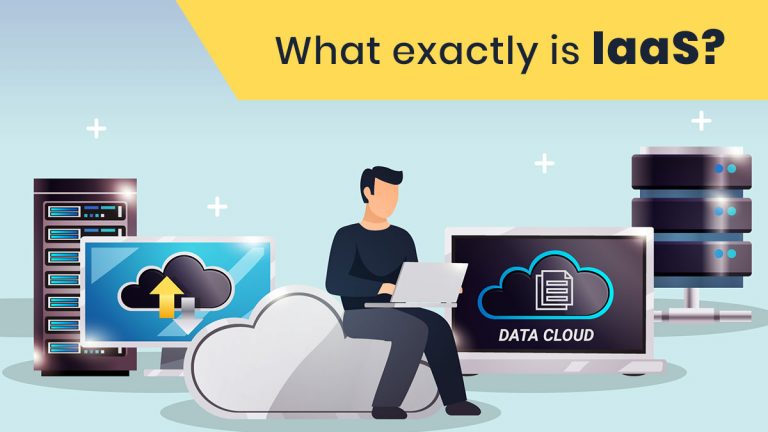
IaaS (Infrastructure as a Service) is a cloud computing model where a provider delivers virtualized computing resources (servers, storage and networking) over the internet on a pay-as-you-go basis. You manage the operating system, middleware and applications. The provider manages the physical hardware, virtualization and data center.
IaaS is one of the three main types of cloud computing, alongside PaaS and SaaS. It is often the first step into the cloud, because you get raw computing power and keep control over most of the stack, much as you would with on-premise hardware, without owning or maintaining any of it.
In this guide:
- How IaaS works
- IaaS vs PaaS vs SaaS
- Top IaaS providers
- Benefits of IaaS
- FAQs
How does IaaS work?
In an IaaS model, the provider owns and maintains all the physical hardware. They handle:
- Servers, networking and storage, so you never pay to maintain or replace hardware
- Virtualization, the layer that divides one physical machine into many virtual ones
- Backups, load balancing and autoscaling, offered by most providers
- Redundant systems, so your workloads keep running even if hardware fails
Autoscaling automatically scales your computing resources up or down with demand. This keeps costs under control without hurting performance, and it is what makes the pay-as-you-go model work.
What are virtualization and hypervisors?
Virtualization divides the resources of a single physical machine so it can run multiple operating systems and applications. It is one of the most common ways cloud providers save on hardware and energy costs.
A hypervisor is the software that makes this possible. It emulates many machines, called virtual machines (VMs), on one piece of hardware, and each VM can run its own operating system or application.
Everything up to this point is handled by the IaaS provider. On top of it, you install your preferred operating system, middleware (the connecting layer between the OS and your application) and the application itself.
A simple example
Cloud gaming services like Shadow work in a similar way. You get access to a virtual Windows 10 PC with set storage, RAM, a high-end processor and a graphics card for a subscription, and you install whatever you like. With true IaaS, you also choose the operating system, and compute and storage scale flexibly with your needs, billed pay-as-you-go. IaaS, of course, isn’t used for playing Fortnite.
IaaS vs PaaS vs SaaS
| IaaS | PaaS | SaaS | |
|---|---|---|---|
| What you get | Virtual servers, storage, networking | A platform to build and deploy apps | Ready-to-use software |
| You manage | OS, middleware, apps, data | Apps and data | Just your usage |
| Provider manages | Hardware, virtualization | Hardware, OS, runtime | Everything |
| Control | Highest | Medium | Lowest |
| Best for | IT teams, custom workloads | Developers | End users |
Who are the top IaaS providers?
Almost every list of top IaaS providers includes these four:
- Amazon Web Services (AWS) EC2, Elastic Compute Cloud
- Microsoft Azure IaaS, with products ranging from virtual Windows desktops to Windows and Linux servers
- Google Compute Engine, which integrates easily with Google Cloud’s AI and ML services. It also offers Sole Tenant Nodes (physical servers dedicated to you, useful for security and compliance requirements) and live migration, so applications keep running during host maintenance.
- IBM Cloud IaaS
Features and pricing vary widely between providers, but nearly all offer a pay-as-you-go model and a baseline level of security. Longer commitments usually bring lower pricing than pure pay-as-you-go. Many other IaaS providers also exist, so you can find one for your specific needs.
What are the benefits of IaaS?
- Lower cost. You pay only for what you use. There is no large upfront spend on hardware that may sit idle, and no maintenance or replacement costs.
- Lower effort. The provider sets up servers, networking and storage, so your team can focus on core work.
- Reliability. Multiple redundancies keep applications running without interruption or data loss, even during a region-wide failure. Building that on-premise is very expensive.
- Scalability. User demand is hard to predict and spikes happen. With IaaS you can scale up or down instantly and pay for exactly what you use.
Frequently asked questions
What is IaaS in simple terms?
IaaS is renting computing infrastructure (servers, storage and networking) from a cloud provider instead of buying and maintaining your own hardware.
What is an example of IaaS?
Amazon EC2, Microsoft Azure Virtual Machines, Google Compute Engine and IBM Cloud IaaS.
What is the difference between IaaS and PaaS?
With IaaS you manage the OS, middleware and applications. With PaaS the provider also manages the OS and runtime, so you only manage your application and data.
Is IaaS cheaper than on-premise infrastructure?
Often, yes. You avoid upfront hardware costs and ongoing maintenance, and you pay only for the resources you use.
Who should use IaaS?
Startups, enterprises and development teams that want control over their environment with the flexibility to scale on demand.
Build on the right infrastructure with Nuventure
Choosing an IaaS provider is only the first step. Connected devices, real-time data and AI workloads all depend on a well-architected cloud backbone. If you’re planning to build on top of it, our team delivers end to end IoT services, from device and cloud architecture to app development and deployment. Talk to our product development team to get started.