


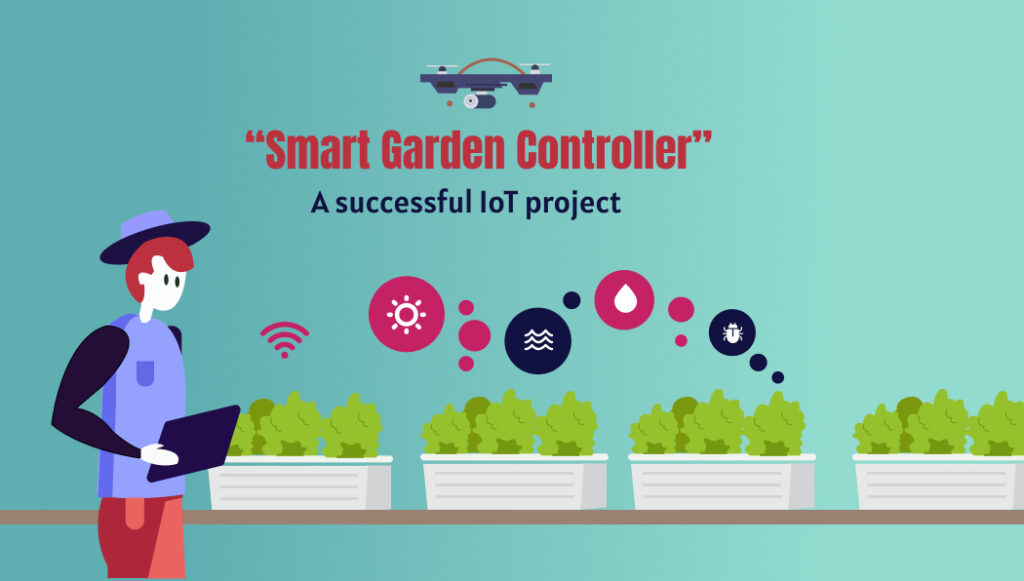
A remote irrigation control app lets you start, stop and schedule watering from your smartphone, wherever you are. The Smart Garden app, developed by Nuventure, is a smart sprinkler controller app that gives you control over individual zones, adjustable watering durations and water-use monitoring with a few taps. It puts water conservation and plant health in the palm of your hand.
This case study walks through how the app works, how to schedule irrigation from a phone and how an IoT-based irrigation system helps conserve water.
What is a smart irrigation controller?
A smart irrigation controller is a connected device that automates watering and can be managed through a mobile app. Unlike a basic timer, it supports multiple zones, remote control and weather-aware schedules.
The Smart Garden controller manages up to 8 irrigation zones. The app can handle multiple controllers at once, so you can monitor and control them all from one place.
How does a smart irrigation system work?
A smart irrigation system connects a controller, sensors and weather data to a mobile app. The controller opens and closes watering zones based on the schedules and commands you set. Sensors and data analysis help deliver the right amount of water to each plant, rather than running on a fixed timer regardless of conditions.
In the Smart Garden app, you can see the day, date, year and ambient temperature, followed by upcoming weather information, so you can make decisions with live context.
IoT-based irrigation system for water conservation
An IoT-based irrigation system conserves water by watering only when and where it’s needed. This reduces waste, supports healthier plant growth and can lead to savings on water bills and maintenance over time.
Key benefits of upgrading from a traditional system:
- Less water waste through zone-level control
- Weather-adjusted schedules
- Remote control, so you can correct or stop watering from anywhere
- Water-consumption monitoring
Remote irrigation control app: sign in and begin
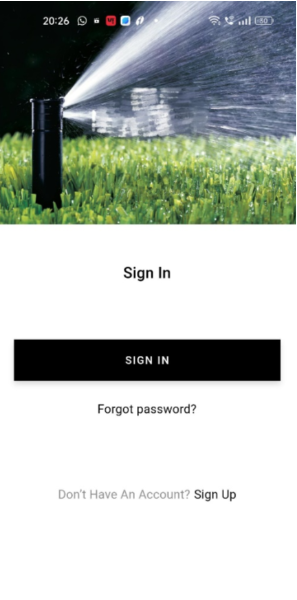
Install the Smart Garden app from the Apple App Store or Google Play Store. Tap the app icon to reach the sign-in/sign-up screen. If you already have an account, tap Sign in and add your controller. If you’re new, tap Sign up.

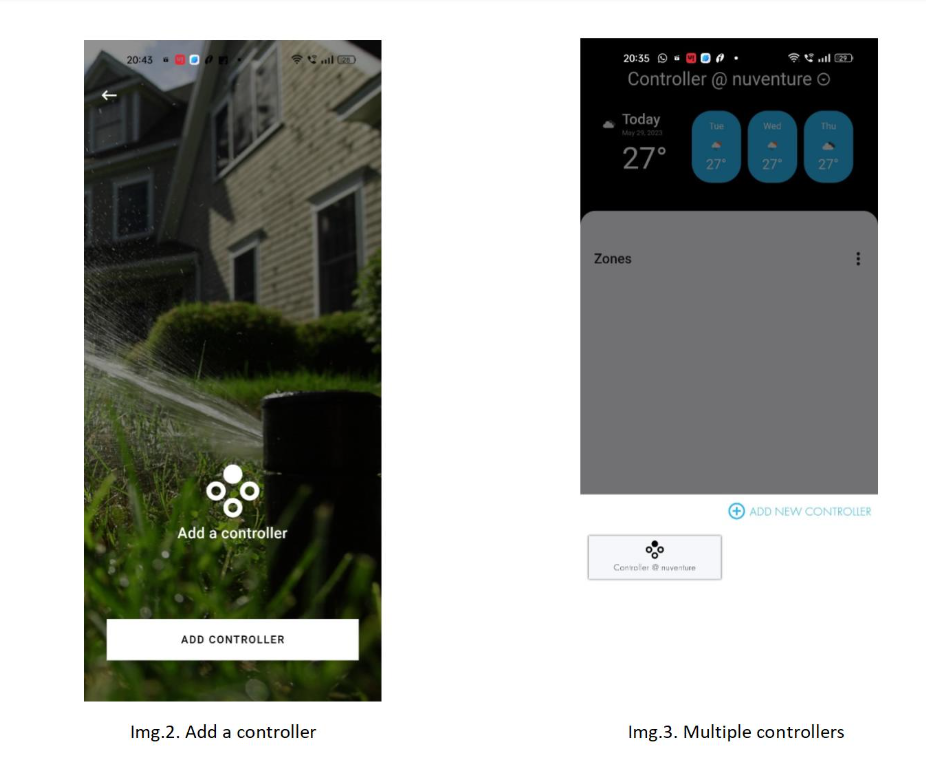
Adding your smart sprinkler controller
Next, add your controller to the app. The app prompts you to add a controller and takes you to the add-controller window automatically. Scan the QR code on the controller and it’s added. Tap the down arrow at the top of the app to view all your controllers.

Setting up zones on your controller
Select your controller from the list to start programming it. At the top left you’ll see the day, date, year and ambient temperature, with upcoming weather information next to it.

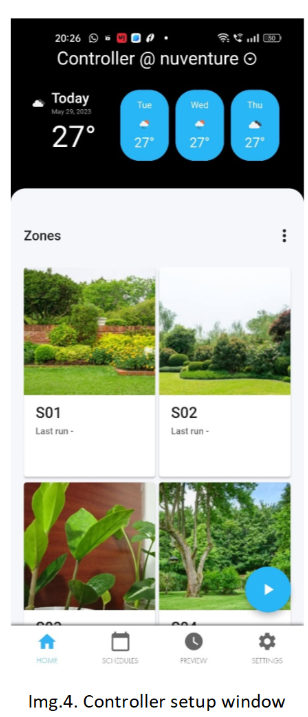
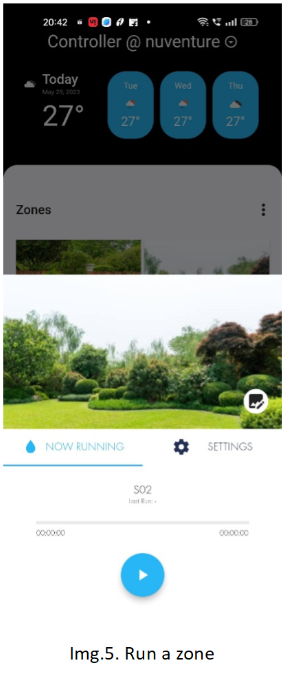
Under Zones you can view all 8 irrigation zones. Each zone is fully configurable: rename it, add a picture of it and control irrigation accordingly. The play button is the schedule run button, which you can enable or disable.
How to run a zone from your phone
To start irrigation manually:
- Tap the zone you want to irrigate.
- Choose a run time in the pop-up. The defaults are 1 minute and 2 minutes, or tap Custom to enter your own duration.
- Press the play button.
The zone starts irrigating instantly and shuts off when the set time is complete.

How to schedule irrigation from a phone
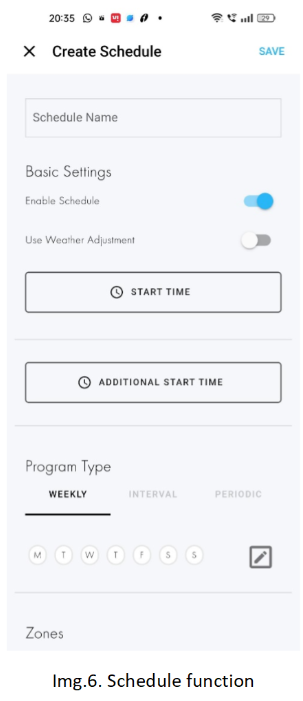
You can schedule irrigation from your phone in a few taps:
Save, then complete the program setup.
Tap the Schedules icon on the bottom bar of the app. A list of all existing schedules appears.
Tap the + icon to create a new schedule.
Choose a weekly, interval or periodic pattern.
Name the schedule, enable or disable it and set your preferences.

Weather-based irrigation scheduling
Weather-based irrigation scheduling adjusts watering to current and upcoming conditions so the system doesn’t water when it isn’t needed. In the Smart Garden app, you can apply weather adjustment to any schedule. The app also offers an additional schedule option alongside the normal one for more advanced program setups.
Precision irrigation using IoT: from gardens to farms
The same principles behind this app, sensing conditions and delivering water precisely, scale up to commercial farming. Precision irrigation using IoT collects real-time data on soil moisture, temperature and humidity so water is applied only where it’s needed. To see how this works on farms, read our guide to IoT in agriculture and precision irrigation.
Summary
Upgrading from a traditional system to a smart irrigation system offers real advantages. Sensors and data analysis deliver the right amount of water to each plant, which means more efficient water use, less waste, healthier plants and potential savings on water bills and maintenance fees over time.
Ready to build a connected irrigation or monitoring product? Explore our Custom IoT Solutions and connect with Nuventure for a free demo.